
Real vs. Fake APK: Verification Guide
Sideloading real-money games in India comes with serious security risks if you download from unvetted channels. Rogue Telegram groups and spoofed search sites repackage games with spyware and fake payment gateways. Here is how to verify your installation package and safely deal with OEM system warnings.
🚫 The "Mod APK / Unlimited Money" Scam
You cannot hack table balances in Teen Patti Master. Card values, bets, and wallet balances are stored strictly on backend cloud servers over HTTPS. Any file claiming to be a "Mod APK," "Prediction Tool," "VIP Hack," or "Unlimited Money Patch" is 100% fake. These packages are engineered to steal your phone's SMS logs, compromise OTPs, or bind your device into adware click-fraud networks.
Field Checklist: Genuine Build vs. Fraudulent Pack
| Feature / Check | Genuine Package | Malicious / Altered Pack |
|---|---|---|
| Package Size | Consistent (typically between 50 MB and 56 MB) | Suspiciously tiny (<15 MB webview wrapper) or bloated (>100 MB) |
| Permissions Requested | Internet access, basic storage for game assets, vibration | Demands Accessibility Service, Device Admin, or READ_SMS |
| UPI Payment Flow | Opens official installed apps (GPay, PhonePe, Paytm via UPI intent) | Forces you to type UPI MPIN inside an unverified browser popup |
| Distribution Source | Official web portal or recognized direct CDN endpoints | Shortened ad links (adfly), private Mega.nz/Mediafire/Telegram links |
Understanding Phone Security Alerts (OEM Skins)
When sideloading outside the Play Store, Indian phone brands trigger different security dialogs. Here is what they actually mean:
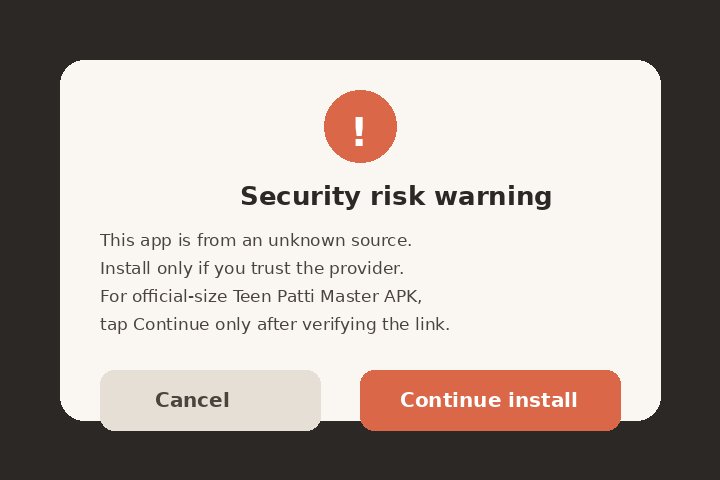
1. Xiaomi (MIUI & HyperOS)
Xiaomi shows a red warning with a 10-second mandatory countdown timer. This is a built-in security layer designed to stop silent drive-by installations. Check the confirmation tick-box and hit "OK" once the timer completes.
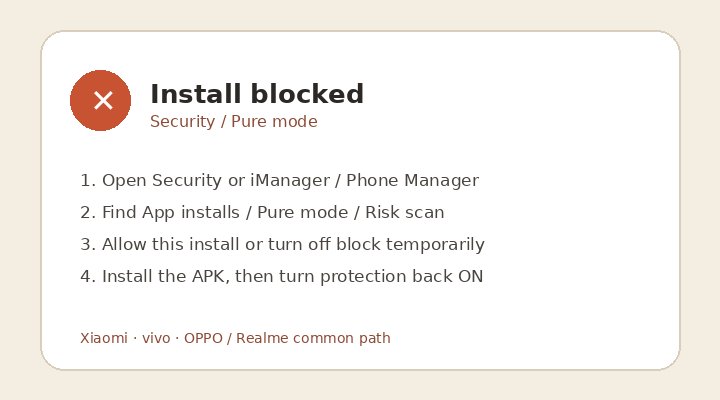
2. Vivo, OPPO & Realme
These brands enable "Pure Mode" or "Security Guard" by default to steer users back to their native App Markets. If your installation is blocked, go to Settings > Security > Pure Mode, temporarily toggle it off, or click "Continue to Install Anyway".
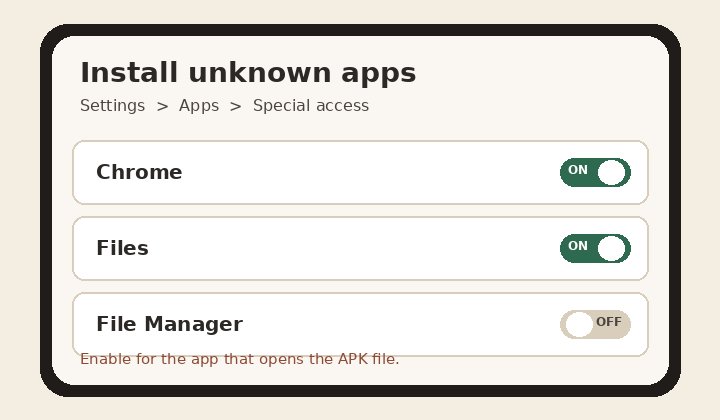
3. Chrome & Samsung One UI
Android asks you to authorize the specific browser: "Allow installation from this source". Tap Settings when prompted, flip the switch next to Chrome or your File Manager, and press the back button to complete setup.
Accidentally Installed a Fake Build? Follow This Recovery Plan:
Go to Settings > Apps > Manage Apps. If you cannot uninstall it normally, check Settings > Security > Device Admin Apps and deactivate its permissions first, then uninstall.
Delete the downloaded installer file from your /Download directory. Clear browser cached cookies to stop persistent redirect scripts.
If the fake app prompted you to type your UPI PIN or card credentials into an unverified web screen, open your official bank app immediately and update your UPI MPIN.
Open the Google Play Store, tap your profile avatar at the top right, select Play Protect, and tap Scan to verify that no residual background payload remains.
Frequently Asked Download Questions (PAA)
Straightforward answers to the most common installation issues across India.
Why do I see 'There was a problem parsing the package' (Parse Error)?
Parse errors occur for three practical reasons: (1) Your internet dropped mid-download, leaving a corrupt 10 MB fragment instead of the full ~52 MB package; (2) Your Android version is below the minimum required SDK level (e.g., using Android 6 or 7 on an outdated handset); or (3) Your device storage is completely full. Free up at least 500 MB and redownload.
Is it safer to download from third-party app stores (like 9Apps or APKPure)?
Not necessarily. Unofficial app aggregator portals frequently retain outdated builds from months prior, or inject wrapper advertisements that interfere with payment callbacks. Always prefer downloading directly from direct, documented channels verified with stable file sizes.
Can an APK steal money directly from my PhonePe or Google Pay?
An APK cannot deduct funds automatically unless you hand over two things: (1) Android Accessibility Service permissions (which allows rogue apps to tap buttons on your screen silently), or (2) You voluntarily enter your 4-digit or 6-digit UPI MPIN into a fake phishing page. As long as you never grant Accessibility and only enter your PIN inside the official bank/UPI app interface, your money is protected.
Site Navigation Hub